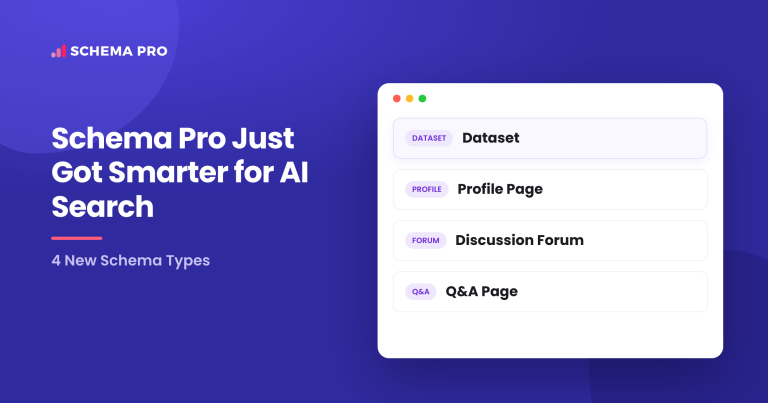
We have just released another update to Schema Pro that adds support for four new schema types: Profile Page, Dataset, QA Page, and Discussion Forum Page.
Whether you run a personal brand site, publish research data, host a community forum, or create Q&A content, this update gives you new ways to help search engines understand your content and show it more prominently in results.
No coding required. Choose the schema type you need, configure the relevant fields, and let Schema Pro handle the markup for you.
What’s New in Schema Pro?
Here is a breakdown of the four new schema types:
Profile Page Schema
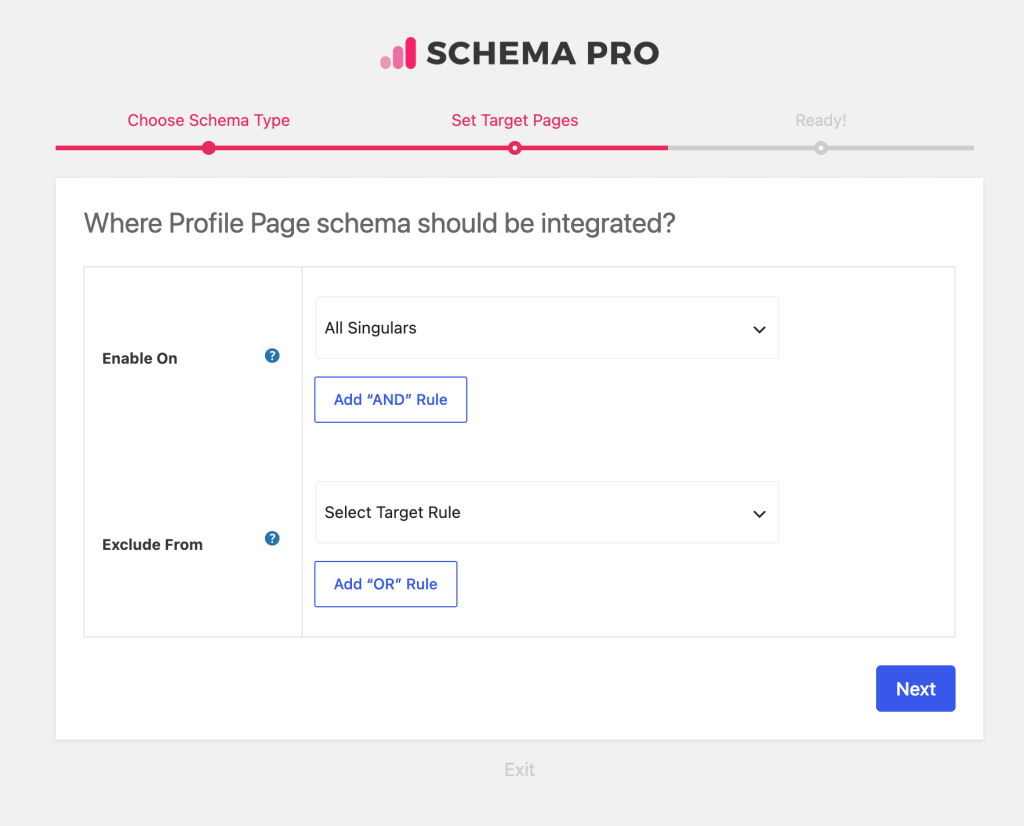
If you have an author page, a personal brand site, or a professional profile, the Profile Page schema helps search engines understand exactly who the page is about.
This schema communicates key identity information to Google, which can help your profile appear more prominently when someone searches for your name or brand.
It is ideal for bloggers, freelancers, consultants, speakers, and anyone building a personal or professional presence online.
The schema includes fields for:
- Profile name
- Alternate name
- Description
- URL
- Image
- Same as (links to social profiles)
- Job title
- Affiliation
- And more
If you want your personal or professional pages to stand out in search, this schema type is built for you.
Dataset Schema
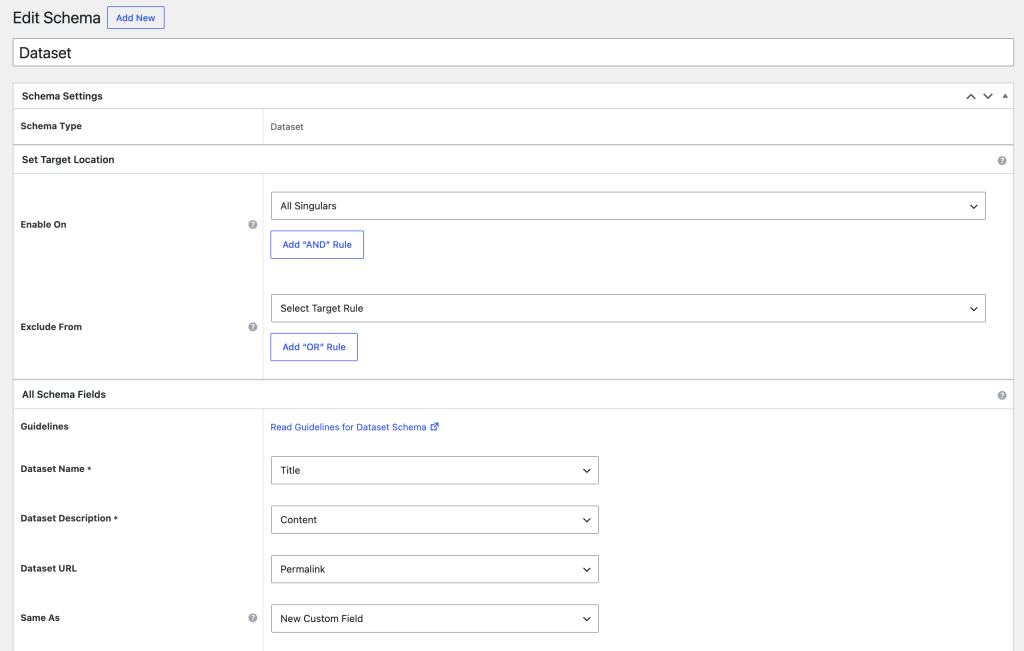
For anyone publishing data online, the Dataset schema makes your data discoverable in Google Dataset Search and in standard search results.
Researchers, academics, data journalists, government agencies, and businesses that publish reports or statistics will benefit from adding this schema to their pages.
It helps search engines identify what the dataset is about, where it comes from, and how it can be accessed.
The schema includes fields for:
- Dataset name
- Description
- URL
- Creator name
- License
- Temporal coverage
- Spatial coverage
- Distribution URL
- Distribution format
- And more
If your site publishes any kind of structured data or research, this schema type helps put it in front of the people looking for it.
QA Page Schema
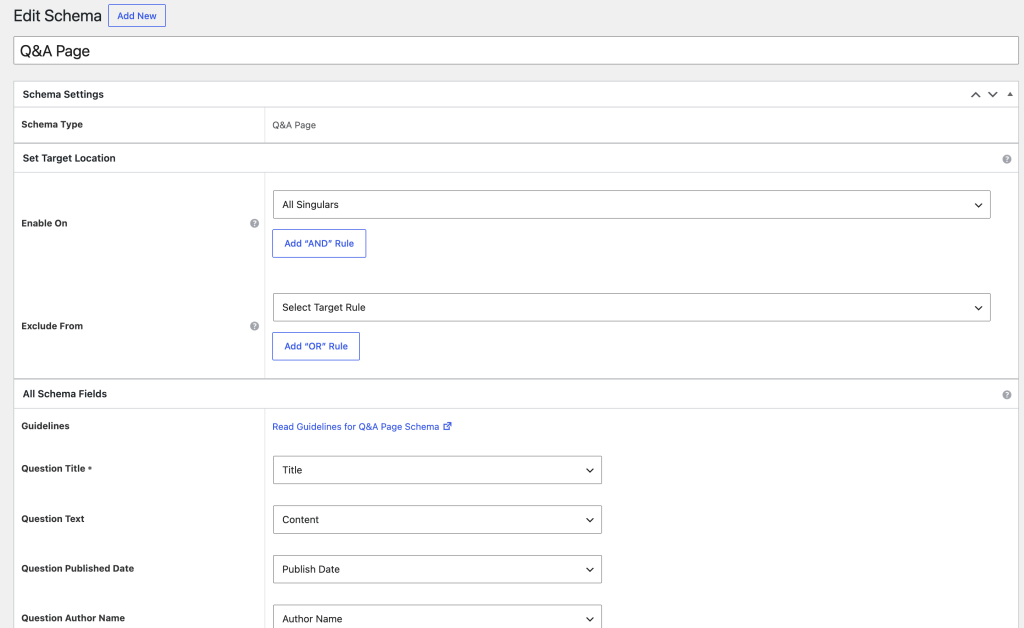
The QA Page schema is designed for pages that present a single question with one or more answers, such as community support threads, help articles in Q&A format, or knowledge base entries.
When supported by search engines, this structured data can help them better understand the question and answers on the page.
This schema is a great fit for support sites, knowledge bases, Stack Exchange-style content, and any page built around answering a specific question clearly.
The schema includes fields for:
- Question name
- Question text
- Accepted answer text
- Answer author
- Answer date
- Up vote count
- And more
If your content answers questions, the QA Page schema helps make sure those answers get seen.
Discussion Forum Page Schema
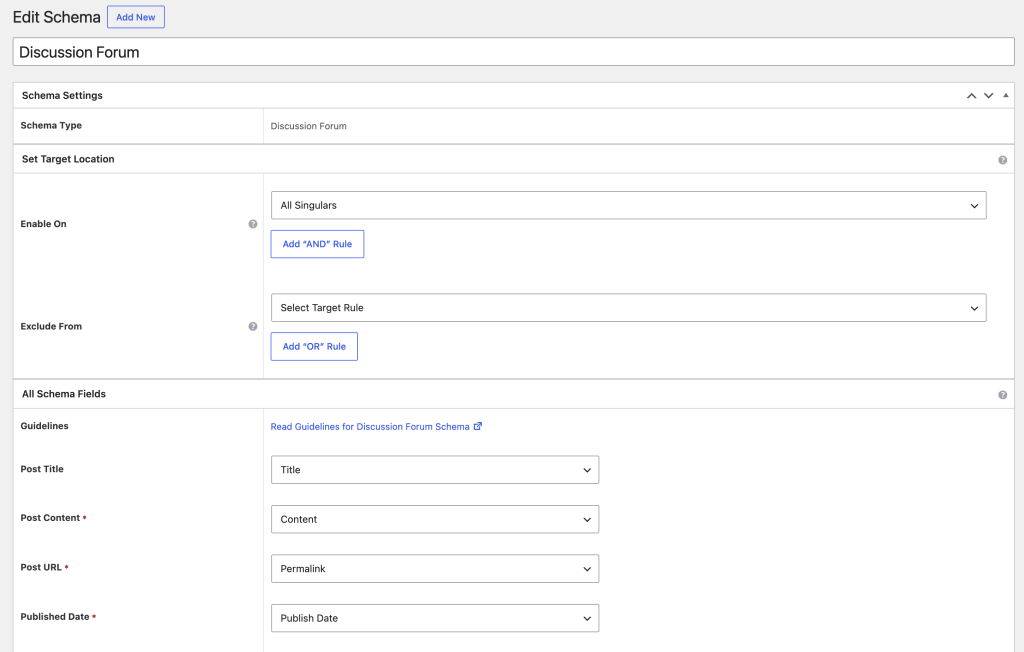
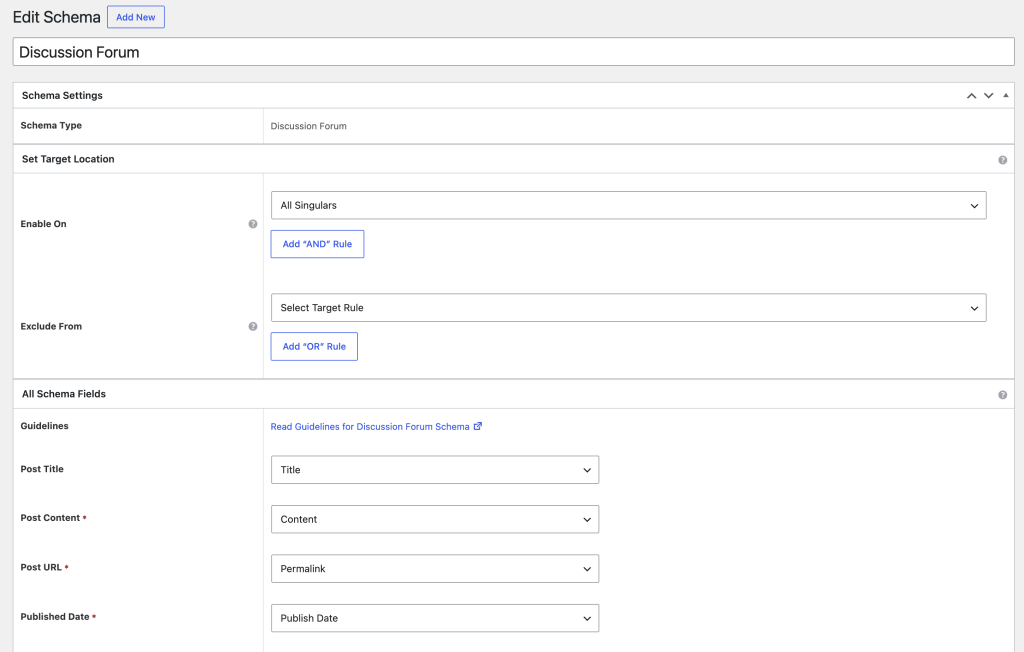
Online communities and forums now have a dedicated schema type to help search engines understand and surface their content. The Discussion Forum Page schema tells Google that your page is a forum discussion, which can lead to richer search result appearances for your threads and posts.
Community managers, support forum owners, and anyone running a discussion-based site will find this useful.
The schema includes fields for:
- Forum name
- Description
- URL
- Forum post name
- Forum post text
- Post author
- Post date published
- Post date modified
- Comment count
- And more
If you run a forum or community site, this schema type helps your discussions get the attention they deserve in search.
Who Benefits Most From The New Schema Types?
These four schema types cover a wide range of use cases. Here is who will see the biggest impact:
- Personal brands and professionals: Profile Page schema helps you control how your name and credentials appear in search results.
- Researchers and data publishers: Dataset schema puts your data in front of the right audience, including in Google Dataset Search.
- Support sites and knowledge bases: QA Page schema can get your answers displayed directly in search results, driving more clicks and reducing support volume.
- Forum and community owners: Discussion Forum Page schema helps your community content rank better and display more attractively in search.
How To Use Schema Pro
Getting started with any of these new schema types is straightforward.
- Update Schema Pro to the latest version.
- In your WordPress dashboard, go to Settings > Schema Pro > Add New.
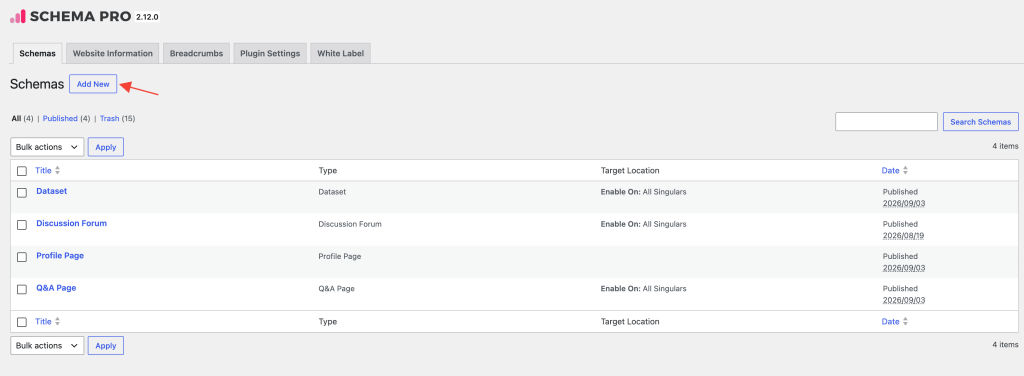
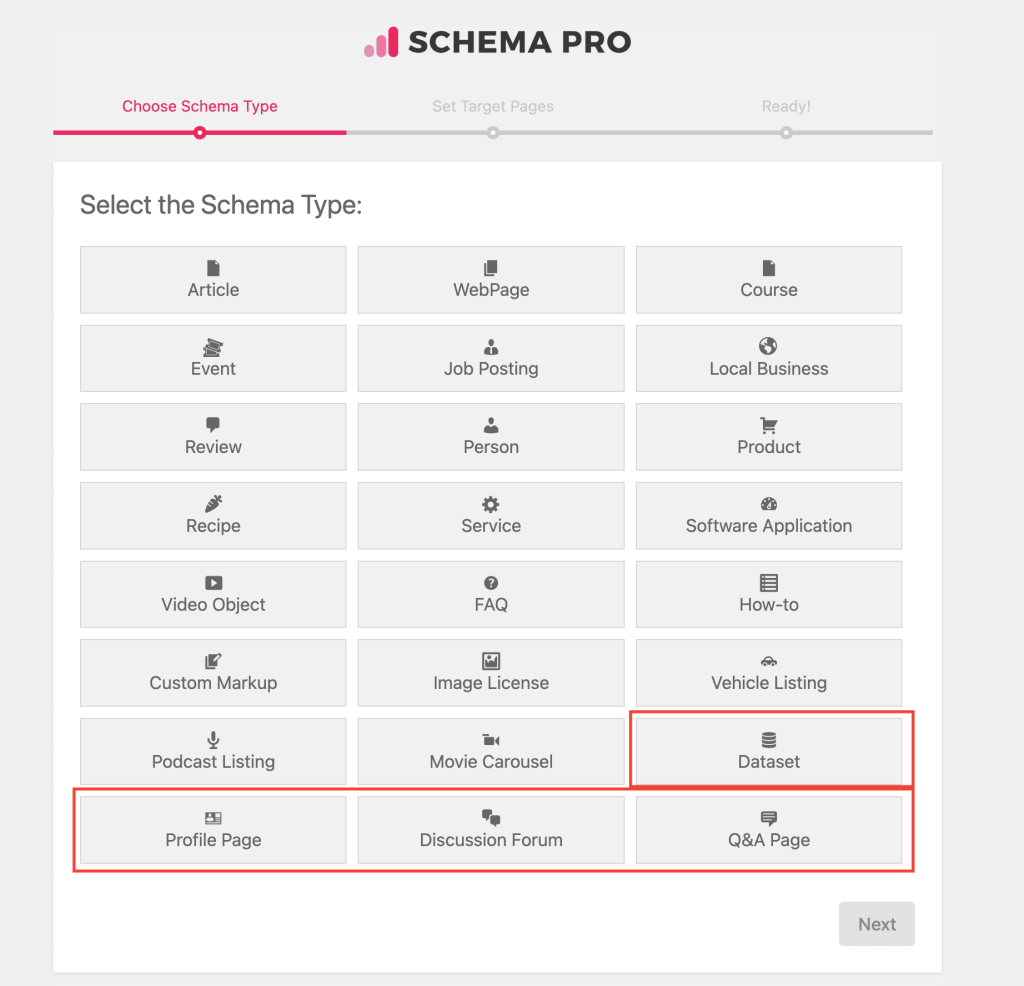
- Choose the schema type you want: Profile Page, Dataset, QA Page, or Discussion Forum Page.
- Set the pages or posts where you want the schema to appear.
- Fill in the relevant fields for your content.
- Save your schema and test it using Google’s Rich Results Test.
That is all it takes. You are now set up for richer, more clickable search results.
How Schema Helps SEO
If you are new to schema markup, here is a quick overview of why it matters.
Schema markup is a standardized vocabulary developed by major search engines including Google, Bing, Yahoo, and Yandex. It gives search engines a structured way to understand what is on your page, which helps them place your content more accurately in search results.
How Search Engines Use Schema
Search engines use schema markup to:
- Display rich snippets: Star ratings, data summaries, Q&A answers, and other enhanced result formats appear directly in search results.
- Improve content understanding: Schema helps search engines understand the relationships between different pieces of content on your site.
- Support voice search: Structured data helps search engines provide precise answers to voice queries.
Schema’s Impact on SEO
Schema markup is not a direct ranking factor, but it leads to measurable SEO benefits:
- Higher click-through rates: Pages with rich snippets consistently attract more clicks. Nestle reported an 82% higher CTR for pages with structured data compared to those without.
- Better visibility: Sites using schema markup are more likely to appear in featured snippets and knowledge panels.
- Stronger voice search performance: Structured data helps ensure your content is understood and presented accurately in voice results.
Real-world results back this up. Rotten Tomatoes saw a 25% higher CTR on pages with schema markup, and The Food Network recorded a 35% increase in visits after implementing structured data across their site.
(Source)
More Ways to Use Schema Pro
These four new schema types continue to expand what Schema Pro can do for your site.
From personal profiles and research datasets to Q&A pages and community discussions, these new schema types expand the range of content you can structure with Schema Pro.
Update Schema Pro today to start using these new schema types.
Need help getting set up? Check out our documentation or contact our support team. We are happy to help.